Basic calculations
Getting started with Google as a calculator is easy: just type in what you want to calculate. If you’re stupid, for example, and don’t know what one plus one is, a quick search for 1 + 1 will give you the result.

This is a really simple example, of course: the calculator can do more than addition. Subtraction (1-1), Multiplication (1*1), and division (1/1) are all simple, as are exponents (5^6). A complete list of the functions Google’s calculator can use can be found at ( http://www.google.com/help/calculator.html ) and includes advanced functions including square root (sqrt(110)) and percentage (5% of 300).
As with any good calculator, parenthesis can be used if you want a certain part of a calculation to be completed first. This allows you to construct complex equations if you like, but you might find that really complex stuff is best left to actual calculators. Still, if you want to dive into the Google Calculator as deep as you can, I highly recommend GoogleGuide’s calculator page for more information.
Conversion
But Google calculator isn’t just useful in the ways a traditional calculator is; it goes beyond that, allowing you to convert between any two units just by typing a simple sentence. For example, I live in Boulder, Colorado now but used to live in Peace River, Alberta. Driving to Peace River from here is almost 1,600 miles. I could inform a Canadian friend of mine of this number, but seeing as everyone uses kilometers in Canada it probably wouldn’t mean much to them. No problem, I can do a quick conversion with Google.

Conversion isn’t limited to units of distance: you can convert Fahrenheit to Celsius (80 degrees Fahrenheit to Celsius), find out how many tablespoons are in half a cup (tablespoons in half cup) or silly things like how many bakers dozens there are in a score.
You can even convert units that change over time, like currency. If I were planning a trip to Peace River, I could use the conversion tool to figure out how many Canadian dollars I could buy with 500 American.

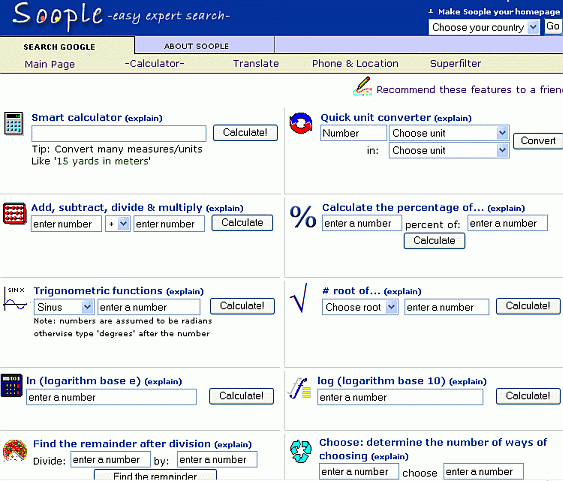
If you want a visual interface to some of the capabilities of Google’s calculator, visit Soople’s Calculator page, www.soople.com/soople_intcalchome.php.


now that was useful:)
ReplyDelete